
The Phishing Link That Really Was a Microsoft Link
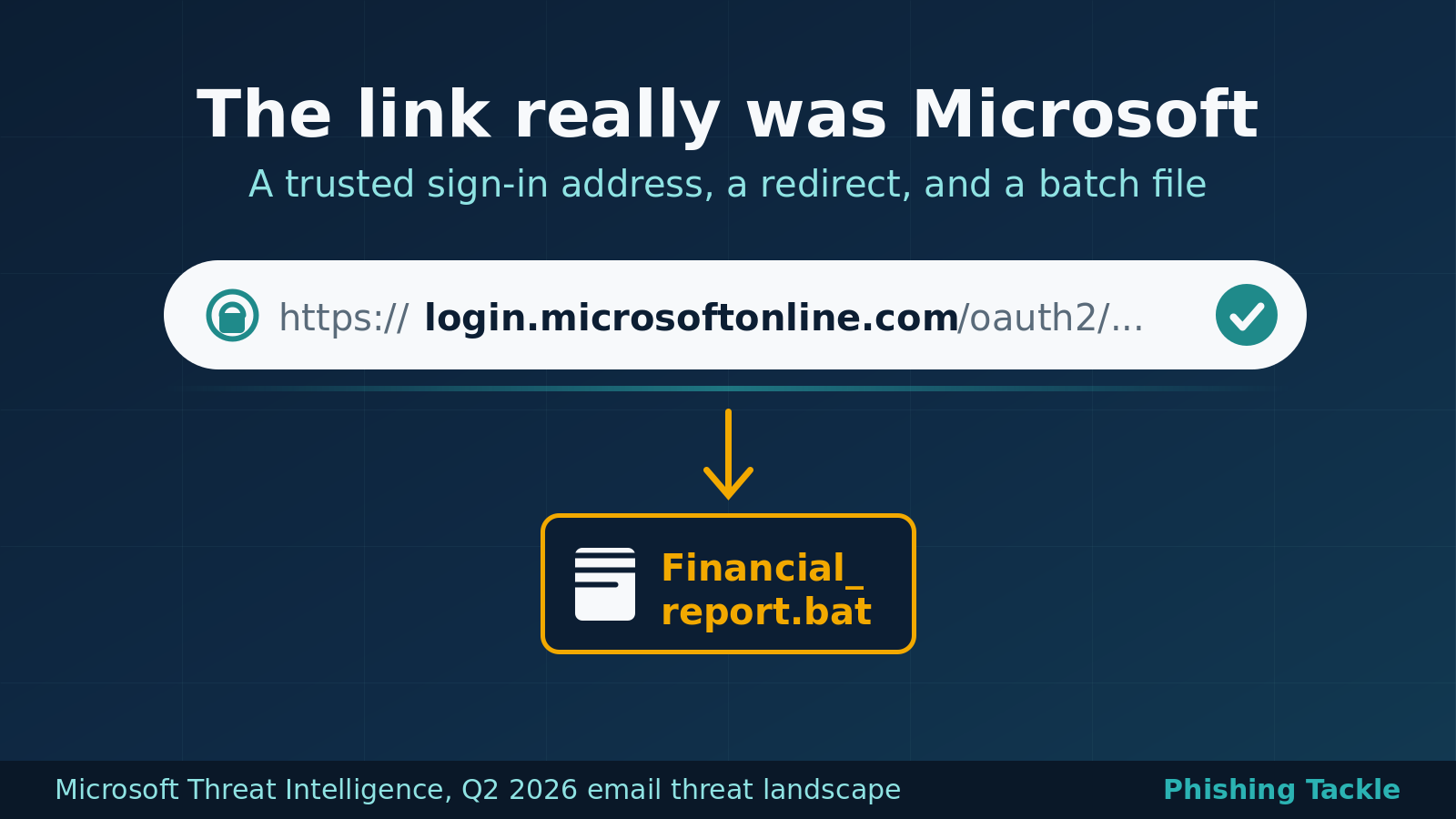
For years the standard advice about suspicious links has been to hover over them and check where they lead. A phishing campaign that Microsoft Defender Research observed in the middle of June 2026 makes that advice much harder to follow. The link inside the message pointed at login.microsoftonline.com, the real Microsoft sign-in endpoint. It was not a lookalike domain and it was not a clever piece of typosquatting. Anyone who checked it saw a Microsoft address, and so did the URL scanners. The file waiting at the end of the journey was a Windows batch script.
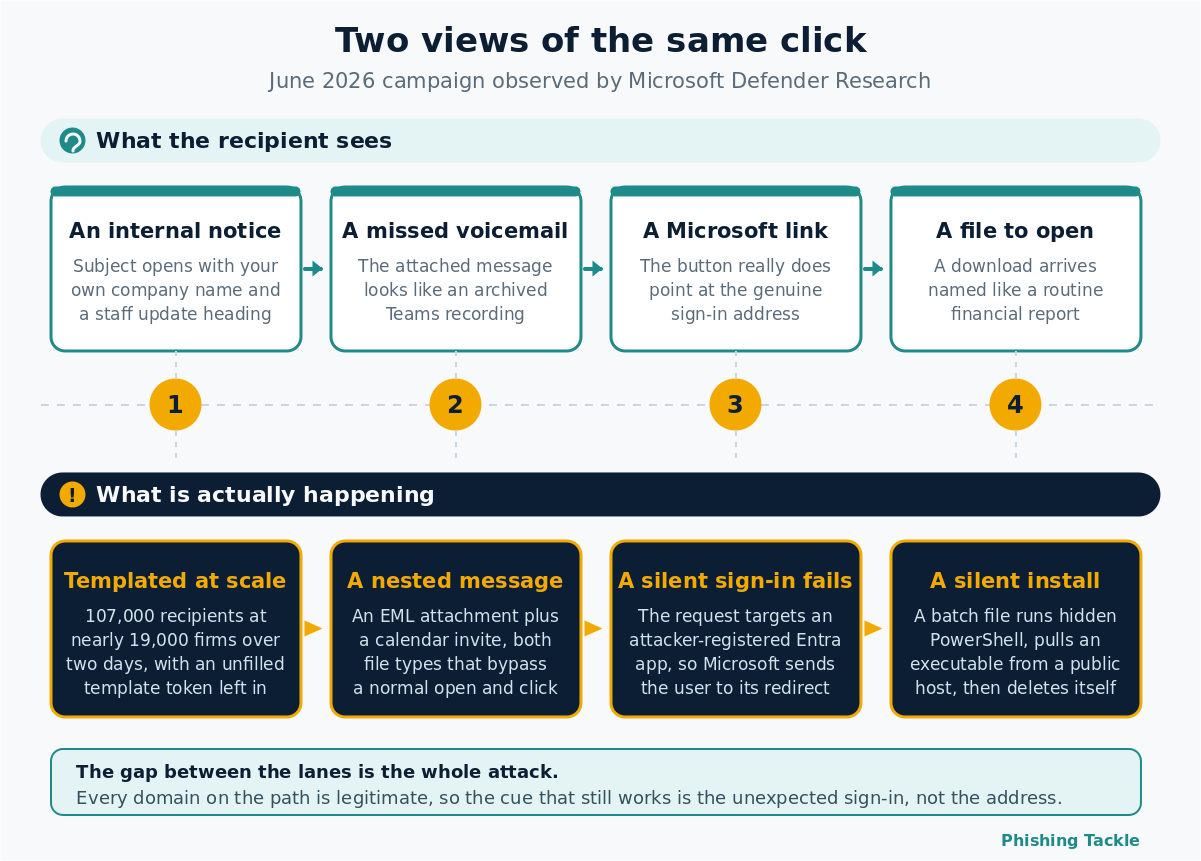
Microsoft set out the details in its Q2 2026 email threat landscape report, published on 23 July. The campaign ran across 14 and 15 June and reached more than 107,000 users at close to 19,000 organisations, almost entirely in the United States. Financial services took 17% of the targeting, followed by technology and software and by retail and consumer goods at 14% each. The technique matters because it undermines one of the few link-checking habits most staff have actually been taught.
The lure came from inside the building
The emails impersonated an internal function at the recipient's own organisation, using the name "Internal Affairs - Financials & Staff Updates". Both the display name and the subject line opened with the recipient's own organisation name, which is a small detail that does a lot of work. An email that appears to come from a department you have never heard of at a company you do work for reads as bureaucracy rather than as an attack.
The visible body was almost empty. One line asked the reader to download the attached file for a meeting summary, followed by a confidentiality notice. Each message carried two attachments: an EML file dressed up as an archived Teams recording, and an ICS calendar invitation addressed to placeholder administrative accounts at the recipient's own domain. The EML file name still contained an unfilled template token, {{DATE2}}, which gives away that the sender was working from a per-recipient templating tool rather than writing anything by hand.
What happened when the attachment was opened
Opening the nested EML displayed a voicemail notification with a single action button. That button pointed at Microsoft's OAuth sign-in endpoint, with parameters asking for a silent sign-in against an application the attacker had registered in Microsoft Entra as multi-tenant. A silent sign-in only succeeds if there is already an active session that satisfies it. There was not, so the request failed.
That failure is the whole trick. When the silent request could not be satisfied, Microsoft's authentication service did what it is designed to do and sent the user to the destination the attacker had pre-registered on the application. That destination was a path on ClickUp's public attachment host, and it served a Windows batch file called Financial_report.bat. The batch file ran a hidden PowerShell command that downloaded an executable from a public file-sharing service, saved it in the user's Temp directory, ran it with a silent flag and deleted the dropper on the way out.
Two points deserve precision. No credentials were stolen in this campaign. The objective was silent malware execution on a Windows device, so multi-factor authentication was never in the path and would not have helped. Microsoft's authentication service was also not compromised: the attacker registered an ordinary multi-tenant application, pointed its redirect at content they controlled, and let a legitimate service perform the redirect on their behalf.
Why borrowed trust works so well
Every link in this chain belonged to a service a business would have no reason to block. Microsoft's sign-in endpoint carried the initial redirect. A widely used project management platform hosted the second stage. A public file host served the payload. None of those domains appear on a blocklist, none of them look wrong in a security banner, and none of them fail a reputation check.
Microsoft documented the underlying technique separately in March 2026, calling it OAuth redirection abuse. The behaviour it relies on is standards compliant. RFC 9700, the current best practice document for OAuth 2.0 security, warns in its section on the authorisation server as an open redirector that an attacker can deliberately trigger an error in order to force a redirect through a trusted endpoint. That makes this a governance question about which applications your tenant will trust, rather than a bug waiting for a patch.
This is also the practical problem with teaching people to inspect domains. The advice was always a proxy for a better question, which is whether the request itself makes sense. A voicemail notification that requires an authentication redirect before it will play, an internal briefing that arrives with a calendar invite addressed to accounts nobody recognises, a meeting summary that can only be read by downloading a file: those are the signals that survive when the domain check stops working. The same logic applies to the malicious OAuth application problem more broadly, where the consent screen is genuine and only the application behind it is not.
The rest of the quarter tells a similar story
Microsoft detected roughly 7.6 billion email-based phishing threats across the second quarter, with monthly volumes easing from 2.7 billion in April to 2.4 billion in June. Credential phishing still accounted for 94% to 96% of payload-based attacks each month, and traditional malware delivery for only 4% to 6%, which is part of why the June campaign stands out.
Two other movements in the data are worth noting. Calendar invitations remain a small share of malicious payloads at around 4%, but their volume nearly quadrupled in June, rising 277%. Microsoft points out that calendar files are processed differently from ordinary attachments and can drop a malicious link straight into someone's diary without any explicit open-and-click. Meanwhile Teams-based voice phishing grew faster than any other category the report tracks, with weekly malicious call attempts finishing the quarter at close to ten times the mid-2025 baseline, and the heaviest activity falling between 14:00 and 20:00 UTC on weekdays, when people are most likely to be at their desks and moving quickly.
Some of this movement is a consequence of pressure applied elsewhere. Microsoft's Digital Crimes Unit disrupted the Tycoon2FA phishing platform in early March, and the linked message volume fell 74% in May and another 20% in June, reaching the lowest monthly figures in at least a year. Displaced operators do not retire. They diversify into channels and techniques where the established defences are weaker.
Practical steps for organisations
- Review who in your tenant can consent to third-party applications. Microsoft Entra lets you restrict user consent and route requests through an admin approval workflow, which removes the single most common path to a rogue multi-tenant application.
- Audit registered and consented enterprise applications periodically, paying attention to redirect destinations that point at file hosts or attachment services.
- Block or tightly control script file execution from user-writable locations such as Temp and AppData, and alert on PowerShell launched by a batch file.
- Treat nested message files (.eml) and calendar invitations (.ics) as attachment types that deserve inspection rather than an automatic pass.
- Teach the behavioural cues, not only the domain cue. An unexplained authentication step in the middle of reading a voicemail or a document is a reliable signal even when every domain on the path is legitimate.
- Make reporting fast and consequence-free. In this campaign the difference between one affected laptop and a wider incident was whoever picked up the phone first.
The bottom line
Attackers did not break Microsoft's authentication, and they did not need to. They borrowed the trust attached to a familiar address and let ordinary services carry their payload the rest of the way. Technical controls will catch a good share of this, and the tenant settings above will close the specific gap, but the people reading these messages remain the layer that notices when a request does not make sense. They deserve to be equipped with cues that still work when the domain looks right, because that is now the normal case rather than the exception.
The habit worth building is small and durable: if a message will only give up its contents after an unexpected sign-in, a download or an install, stop and check through a channel you chose yourself. That single pause is what the whole chain depends on you skipping.
Phishing Tackle offers the tools businesses need to strengthen their human risk strategies, with multi-platform testing, real-time behavioural insights, and actionable data to keep your organisation ahead of modern cyber threats.
Contact us today to learn how Phishing Tackle can help safeguard your organisation from the growing array of cyber risks.
