
One search. Every phish
removed.
Harpoon finds and removes phishing emails across your entire Microsoft 365 or Google Workspace* tenant — start from a reported email or an urgent search you create, then quarantine or delete at scale, with a full audit trail.
Built right into PhishNet, it fits the workflow your team already uses.
.png)



.png)


You can’t remove a phish
one mailbox at a time
The moment a phishing email slips through, the clock starts. Checking one copy and hoping it’s the only one leaves matching messages sitting in dozens of inboxes. Manual, mailbox-by-mailbox clean-up is slow, inconsistent, and easy to get wrong.
One click starts a
tenant-wide hunt
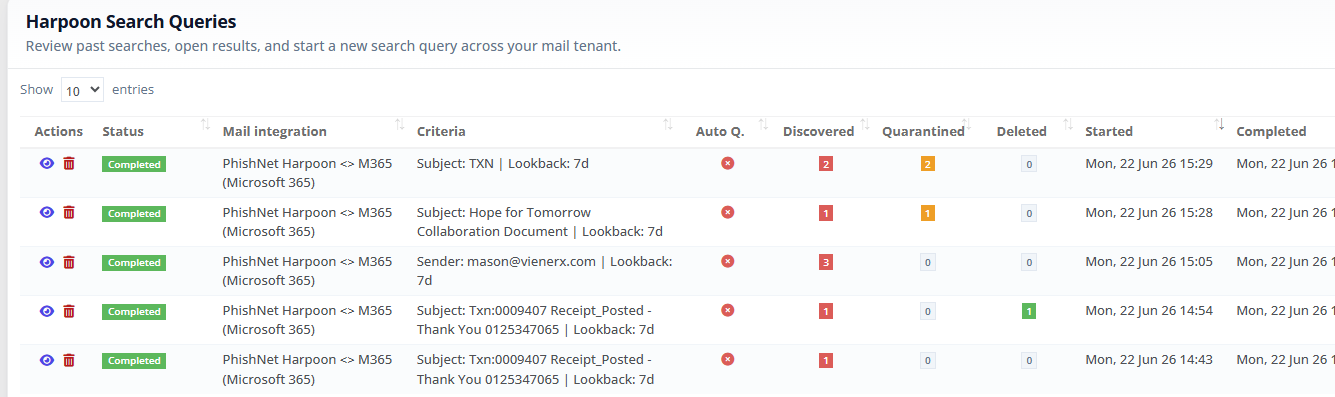
Harpoon runs a tenant-wide search — matching on sender, subject, body, attachments, recipients, and time window — so you can see how far a phish has spread and remove it everywhere from one place. Start from a reported email or an urgent search you create.


Start from a report — or create your own
Harpoon gives you two ways to start a hunt: launch a search pre-filled from any reported email, or spin one up from scratch in seconds for an urgent, ad-hoc investigation. Reports flow in through Phish Hook and land in the PhishNet mailbox, so Harpoon fits the workflow your team already uses — not a disconnected bolt-on.
 Reports land where analysts work — the PhishNet mailbox
- Launch a tenant-wide hunt from any reported message in one click
- Or start a fresh search from scratch when intel comes from outside
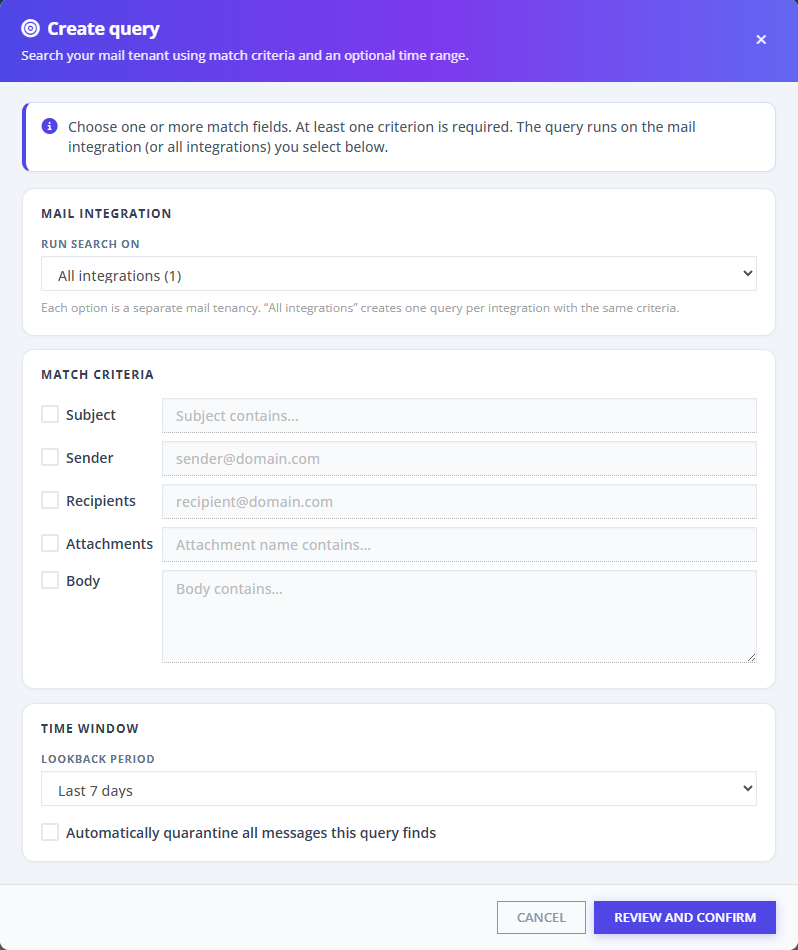


Search your whole mail tenant in minutes
Know the scale of the problem before you act. Whether you start from a report or create a search on demand, match on subject, sender, recipients, attachment names, and body content, with a lookback window from the last 24 hours up to 28 days.
- Match on any combination of fields, across one tenancy or all at once
- Searches run in the background — leave the page, come back to results
- A live dashboard shows messages discovered, quarantined, and deleted
Quarantine, restore, or delete — in bulk
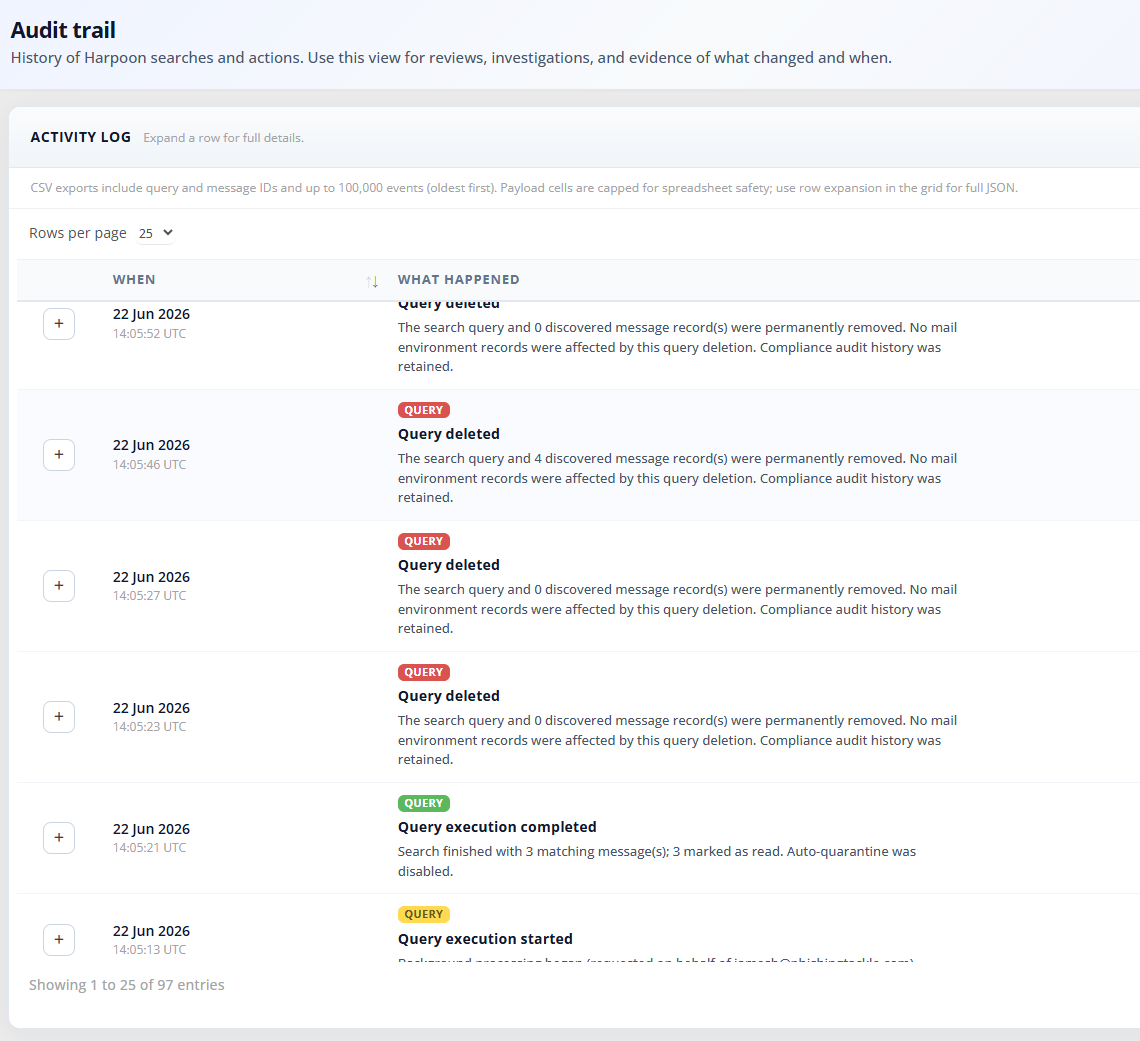
Remediation is the point: fewer clicks, fewer mistakes, faster containment. Apply actions to selected messages or to every eligible match in a query.
- Quarantine, restore, or permanently delete — ten messages or ten thousand
- Contain messages in a safe quarantine folder or label you can
customise - Restore false positives, export read-status as CSV, and clone a query to re-run

“Phishing Tackle runs itself - no heavy IT workload, just better security.”
Brian O’Gorman
Group IT Director for James McMahon Ltd

.svg)
See Harpoon on your mail tenant. Book a Demo.
Book a demo and we’ll walk through reporting a phish in PhishNet, launching a tenant-wide Harpoon search, and remediating every match — on a live Phishing Tackle account.
Choose from our suite of solutions:
- Managed Service: Let our experts run your security awareness programme for you, from setup to reporting.
- PhishNet: Investigate phishing threats in real-time using SOAR-powered analysis, malware scanning, and automated response workflows.
- CatPhish: Monitor and take down lookalike domains automatically using AI-powered domain tracking and takedown tools.
- PhishTAIL: Deliver training, policy updates, and alerts directly in Microsoft Teams. No logins or app switching required.
- StarPhish: Automate alerts, training, and access controls in real-time to reduce human risk without manual effort.


* Google Workspace coming soon
