

Malicious OAuth Apps: The ‘Allow’ Click That Hands Over Your Mailbox
We are all trained to protect our passwords. But one of the more insidious account-takeover techniques does not need your password at all. Instead, it asks for something you may hand over willingly: your consent. Malicious OAuth applications turn a single click on “Allow” into lasting access to your mailbox and files.
The short version: an attacker lures you to a genuine provider’s consent screen and asks you to grant a third-party app access to your account. One click hands over an access token, not just a password, that lets the app read your email and data, and keeps working even after you change your password. It is revoked only when the app’s consent is explicitly removed.
How the technique works
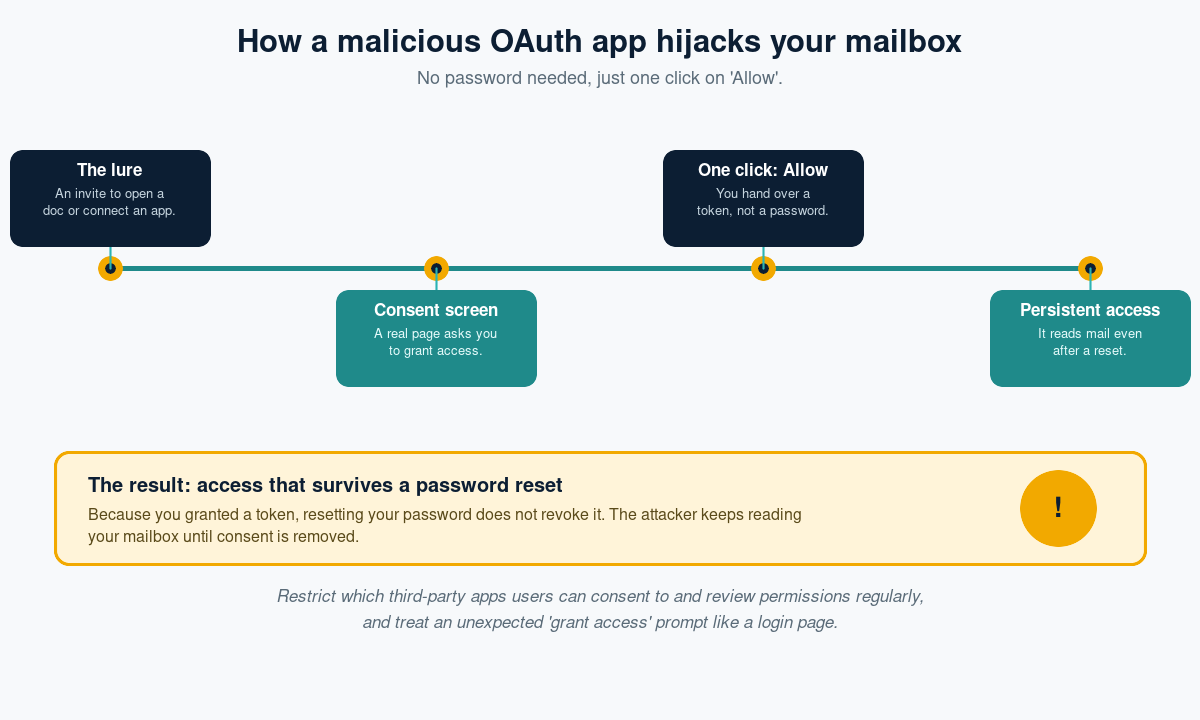
The clever part is that the consent page is legitimate: it really is hosted by Microsoft or Google. The victim receives an invitation to open a document or connect a useful-looking productivity app, and the provider dutifully asks whether they want to grant it access. Because the page is genuine, the usual advice about checking the web address does not help. The moment the victim clicks “Allow”, the app receives a token with the permissions requested.
Why it is so dangerous
Unlike a stolen password, a granted token survives a password reset and is unaffected by many MFA prompts, because the user already authenticated when they consented. Attackers use this persistence to quietly read email, harvest data, and set up onward attacks. In 2026, over-permissioned connected apps, including AI tools handed sweeping access, gave attackers an inherited path into more than one organisation.
The warning signs
- An unexpected request to “connect” or “authorise” an app, especially from an emailed link.
- An app asking for broad permissions to read all mail or files, that it has no obvious need for.
- Unfamiliar apps already listed under your account’s connected or authorised applications.
How to shut it down
Restrict user consent
Configure your identity platform so users cannot grant access to unverified third-party apps without admin review. This single change removes most of the risk.
Review connected apps regularly
Audit which applications hold access to your tenant and revoke anything unnecessary or unrecognised. Remember that removing consent, not just resetting passwords, is what cuts off a malicious app.
Treat consent like a login
Teach staff that a “grant access” prompt deserves the same suspicion as a login page. Run realistic simulations and give people a simple way to report a suspicious message before they click.
The bottom line
OAuth consent attacks exploit trust in a legitimate screen rather than a fake one, and they grant access that ordinary password hygiene cannot undo. Restricting who can consent to third-party apps, auditing connected applications, and teaching staff to pause at “Allow” turn a dangerous click into a non-event.
Phishing Tackle offers the tools businesses need to strengthen their human risk strategies, with multi-platform testing, real-time behavioural insights, and actionable data to keep your organisation ahead of modern cyber threats.
Contact us today to learn how Phishing Tackle can help safeguard your organisation from the growing array of cyber risks.
