
When MFA Isn’t Enough: How Adversary-in-the-Middle Phishing Steals Live Sessions
For years the security advice was reassuringly simple: turn on multi-factor authentication and most phishing stops working. That advice is still worth following, but on its own it is no longer enough. Attackers have moved the goalposts, and one technique in particular is behind a wave of account takeovers this year: Adversary-in-the-Middle (AiTM) phishing.
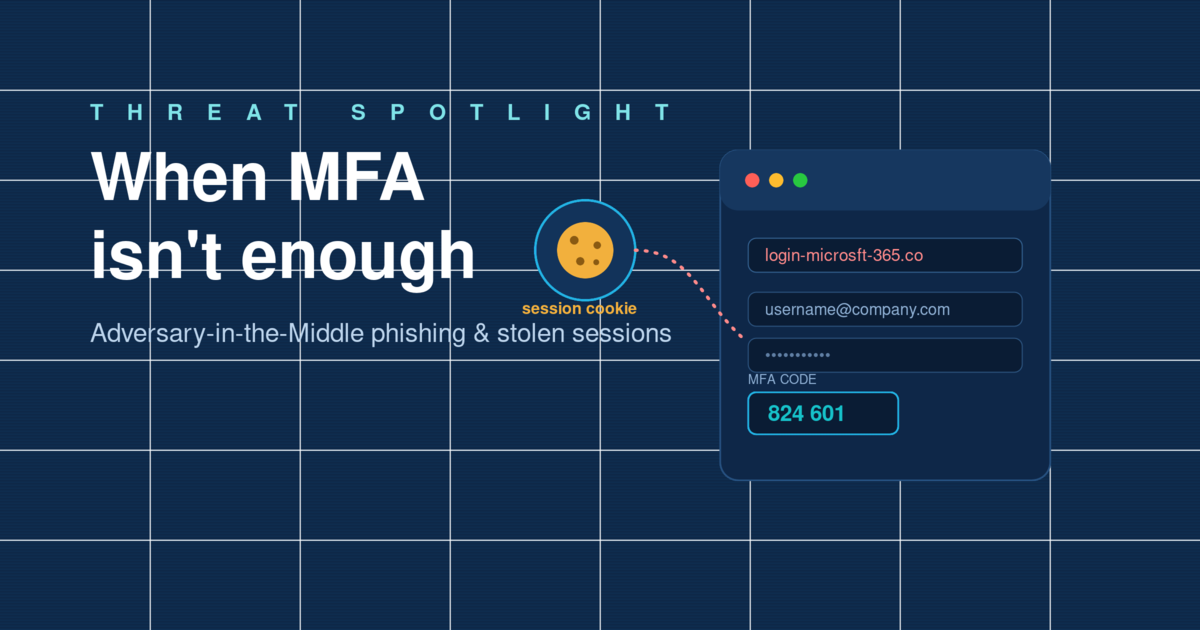
The short version: AiTM phishing sits invisibly between your staff and the real login page. It captures the password and the MFA code as they are typed, then quietly steals the session cookie the service hands back. With that cookie, the attacker is logged in as the user, with no password prompt and no MFA challenge. Ordinary MFA does not stop it; phishing-resistant MFA and a few sensible controls do.
Why this is worth your attention right now
This is not a fringe technique. Microsoft has tracked AiTM campaigns targeting more than 10,000 organisations, and in April 2026 its researchers observed a single burst of activity hitting over 35,000 users across more than 13,000 organisations in 26 countries. Reverse-proxy phishing kits, the engines behind these attacks, are now sold as ready-made services, which means an attacker no longer needs deep technical skill to run one.
The human element remains the way in. Verizon’s 2025 Data Breach Investigations Report found that roughly 60% of breaches still involve a person being tricked, misusing access, or making a mistake. AiTM is simply a more efficient way of exploiting that same moment of trust, and because the messages are increasingly written and localised with generative AI, the old tell-tale signs of clumsy grammar and odd phrasing are disappearing.
How an Adversary-in-the-Middle attack actually works
The clever part of AiTM is that, from the victim’s point of view, nothing looks broken. They receive a convincing email, often a shared document, a voicemail notification, or a “review this policy” request, and click a link to what appears to be the normal Microsoft 365 or Google sign-in page. In reality, that page is a proxy controlled by the attacker.
Step by step, here is what happens:
- The victim signs in as normal. They enter their username, password and MFA code into the fake page, exactly as they would on the real one.
- The proxy relays everything in real time. The attacker’s server passes those details straight through to the genuine service, so the login genuinely succeeds.
- The real service issues a session cookie. Once MFA is satisfied, the service hands back a small token, the session cookie, that says “this person is verified, don’t ask again”.
- The attacker keeps the cookie. Because they sat in the middle of the exchange, they now hold a valid session. They can load it into their own browser and act as the user, with no password and no MFA prompt.
The stolen session cookie is the real prize. Whoever holds it is treated as already-verified, and the account’s password and MFA become irrelevant.

Why your MFA codes don’t save you here
This is the uncomfortable bit. The most common forms of MFA, whether a six-digit code from an app, an SMS one-time passcode, or a push notification you approve, all prove the same thing: that the person holds a second factor. What they cannot prove is that the person is talking to the real website rather than a proxy. Because the attacker relays the code the instant it is entered, the second factor is captured and used in the same breath as the password.
Put simply: traditional MFA confirms who is logging in, but not where they are logging in. AiTM exploits precisely that gap.
The warning signs worth training staff to notice
AiTM pages are polished, but they are not perfect. The details that give them away are worth building into your awareness programme:
- The address bar doesn’t match. Look-alike domains such as login-microsft-365.co or extra words bolted onto a familiar brand are the single most reliable tell.
- An unexpected sign-in prompt. Being asked to authenticate after clicking an emailed link, especially for a document you weren’t expecting, should raise suspicion.
- Urgency and authority. Compliance deadlines, HR policies, voicemails and shared invoices are the recurring lures because they push people to act before they think.
- “Sign in again” loops. A page that bounces you back to re-enter details can indicate a proxy fumbling the hand-off.
What actually stops Adversary-in-the-Middle attacks
The good news is that AiTM has well-understood countermeasures. No single control is a silver bullet, but layered together they make these attacks far harder to pull off and far easier to contain.
1. Move to phishing-resistant MFA
FIDO2 security keys and passkeys are the strongest defence available today. They are origin-bound: the cryptographic sign-in is tied to the genuine web address, so if the domain is a proxy, authentication simply fails. A relay in the middle has nothing to steal. Prioritise these for administrators and other high-value accounts first.
2. Tighten conditional access
Policies that only allow sign-ins from managed, compliant or domain-joined devices break the attack, because the attacker’s browser won’t meet those conditions even with a stolen cookie. Restricting access by location or risk level adds further friction.
3. Shorten and protect sessions
Because the session cookie is the target, reducing how long it stays valid limits the damage. Where your identity provider supports it, enable token protection (binding the session to a specific device) and be ready to revoke sessions quickly during an incident.
4. Watch for the tell-tale sign-in anomalies
A successful login followed by activity from an unusual location, a new device, or an unfamiliar network is a classic AiTM footprint. Alerting on impossible travel and sudden mailbox rule changes helps you catch a compromise before it becomes fraud.
5. Keep your people in the loop
Technology narrows the gap, but a workforce that recognises a look-alike domain and reports a suspicious login closes it. Regular, realistic simulations, including MFA-themed lures, keep that instinct sharp, and an easy one-click way to report suspicious emails turns your staff into an early-warning system.
One message for your users this week: if a link asks you to log in, stop and check the address bar before you type anything. If the web address isn’t exactly right, don’t sign in; report it. Your password and MFA code are only as safe as the page you enter them into.
The bottom line
Multi-factor authentication is still one of the best security investments any organisation can make, and turning it off would be a mistake. But AiTM phishing is a clear reminder that attackers adapt, and that “we’ve enabled MFA” is a starting point rather than a finish line. Pairing phishing-resistant authentication with sensible access controls and a well-trained workforce turns a stolen session from a likely breach into a blocked attempt.
Sources: Microsoft Security Blog (AiTM token compromise and cookie-theft research, 2022 to 2026); Verizon 2025 Data Breach Investigations Report; CrowdStrike threat reporting.
Phishing Tackle offers the tools businesses need to strengthen their human risk strategies, with multi-platform testing, real-time behavioural insights, and actionable data to keep your organisation ahead of modern cyber threats.
Contact us today to learn how Phishing Tackle can help safeguard your organisation from the growing array of cyber risks.
