
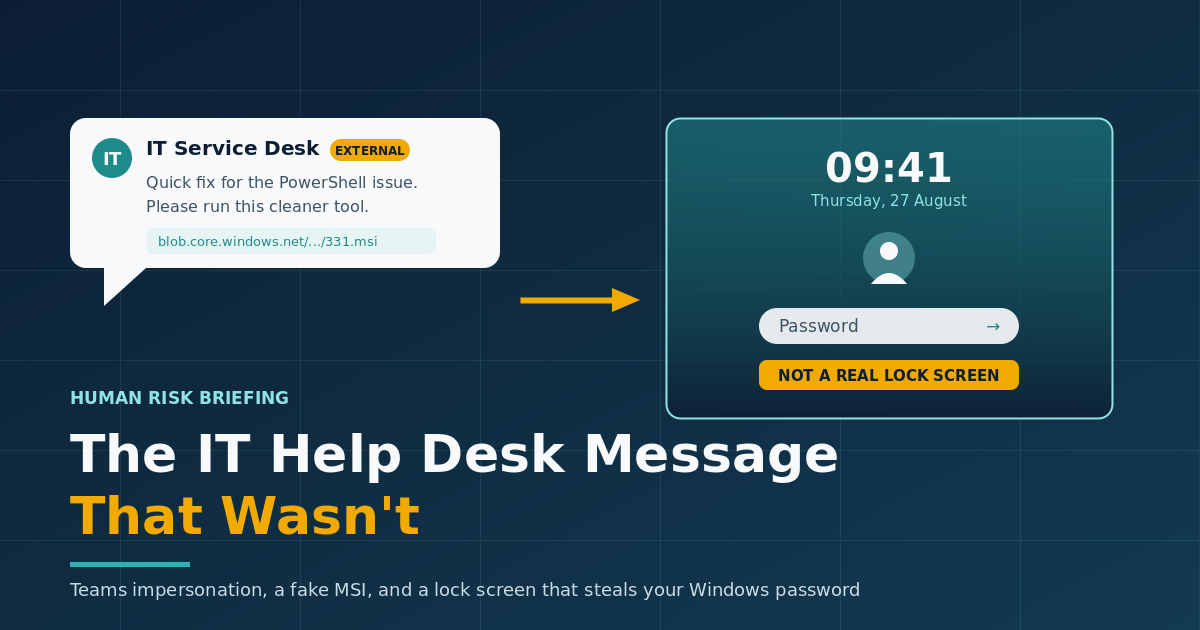
The IT Help Desk Message That Wasn't
A message lands in Microsoft Teams. The display name reads "IT Service Desk" with a real-sounding person's name after it. There is a performance problem to fix, a cleanup tool to install, and a download link pointing at a Microsoft cloud address. It looks like ordinary IT housekeeping. In a case analysed in August 2026, that message was the opening move in an intrusion that ended with a fake Windows lock screen quietly collecting an employee's password.
A help desk that never existed
Researchers at Expel encountered the malware on 18 August 2026 while investigating an alert on a client network, where endpoint detection had flagged a newly created scheduled task. What they took apart was a previously undocumented loader they named SynkLoader, with compile timestamps suggesting it was first built and distributed around 28 July 2026.
The entry point was not an email. The attacker contacted the target over Microsoft Teams from an account on a company.onmicrosoft.com address, the default domain that Microsoft 365 gives every tenant, using the display name "IT Service Desk" followed by a name. The conversation persuaded the employee to download and run an MSI installer hosted on Microsoft Azure storage. Because the link genuinely pointed at a Microsoft-owned domain, it survived the usual quick check. The installer called itself PowerShell Cleaner.
Microsoft has been warning about this pattern since April 2026, when it published an intrusion playbook describing cross-tenant Teams conversations in which attackers pose as IT or help desk staff, then talk users into granting remote assistance through tools such as Quick Assist. SynkLoader is the same social engineering with a different payload behind it.

What the cleaner actually installed
Once run, the installer dropped a PowerShell script and an archive containing a Python environment along with a set of modules. From there the attacker chose what to deploy based on what the machine looked like. Expel recorded a system profiler that collected hostname, username, privilege level, running processes, domain details and the number of computers in Active Directory. There was a persistence module that created a randomly named scheduled task set to run at logon and again every day at 10am. There was a reverse proxy, a remote shell for running PowerShell commands, and a module that streamed the desktop and allowed remote control of the mouse and keyboard.
That scheduled task was the thread that unravelled the whole thing. Nothing about the Teams conversation raised an alarm, and nothing about the download did either. Detection came from endpoint tooling noticing a new task with an odd name.
The fake lock screen
The most inventive component is a module Expel called PhishLocker. It reads the current user's name, pulls the genuine lock screen background image from the Windows folder that stores it, and draws a full-screen window designed to look almost exactly like the Windows 11 lock screen.
The employee steps away, comes back, sees what appears to be a locked machine and types their password. The malware never checks whether that password is correct. It accepts anything, because its only job is to record what was typed and pass it to the attacker.
Why a plain password is worth more than a stolen hash
Taking a Windows password this way avoids the noisy business of dumping credential hashes with tools that security software has been trained to spot for years. It also produces something more useful than a hash: the actual characters. Where an organisation runs single sign-on, that one string may open a long list of applications rather than a single machine.
The reverse proxy module compounds the problem. It routes the attacker's traffic out through the infected computer, so a login using the stolen password arrives from the employee's own network address. Controls that flag sign-ins from unfamiliar addresses or unexpected countries have nothing unusual to look at.
Expel took the analysis a step further, writing an emulator for the remote shell module and connecting to the attacker's infrastructure while posing as a large corporate network. Someone on the other end began running profiling commands by hand, realised the environment was fake, and disconnected. Because the malware takes such an interest in measuring the size of the Active Directory estate, the researchers assess that it is likely being used to prepare ransomware operations. That is their assessment rather than a confirmed link to a named group.
Telling a fake lock screen from a real one
The illusion has seams, and they are easy to teach.
- Press Ctrl+Alt+Delete. On a genuinely locked Windows machine this brings up the Windows security screen. A counterfeit full-screen window cannot reproduce it.
- Look at the blur. Expel noted that the clearest giveaway in the samples they examined was the background failing to blur when the password box was selected, which the real lock screen does.
- Try Alt+Tab. The fake screen is a borderless window, so the task switcher can still appear over it, although the malware pulls focus straight back to itself.
- Treat an unexpected lock as a reason to stop. If you did not lock the machine and it did not lock on a timer you recognise, that is worth a call to IT before typing anything.
What organisations can do
- Restrict who can start a Teams conversation with your staff. External access can be narrowed to an allow-list of trusted domains, and contact from unmanaged Teams accounts can be switched off, from the Teams admin centre.
- Publish how IT actually gets in touch. Microsoft's guidance suggests naming the channels the help desk uses, the domains and aliases its staff contact people from, and agreeing a verbal pass phrase for support conversations.
- Make unsolicited external help desk contact a reporting trigger rather than a judgement call the individual has to make alone.
- Stop standard users installing MSI packages and apply application control so an installer arriving through a chat window cannot run.
- Watch for scheduled task creation. It is what caught this campaign.
- Reduce what one password is worth. Phishing-resistant multi-factor authentication and device-based conditional access mean a stolen password on its own gets an attacker considerably less.
The bottom line
Nobody in this story did anything careless. The message arrived through a trusted business tool, from something that presented itself as an internal support function, carrying a link to a Microsoft domain. Later, a screen the employee sees several times a day asked for a password it appeared perfectly entitled to ask for.
Current social engineering rarely looks fake. It looks slightly out of process. People catch it when they know what their own IT department's process actually looks like and have an easy, blame-free way to flag the difference. Give them that, back it with controls that limit what a single set of credentials can reach, and a convincing message stops being enough on its own.
Phishing Tackle offers the tools businesses need to strengthen their human risk strategies, with multi-platform testing, real-time behavioural insights, and actionable data to keep your organisation ahead of modern cyber threats.
Contact us today to learn how Phishing Tackle can help safeguard your organisation from the growing array of cyber risks.
