
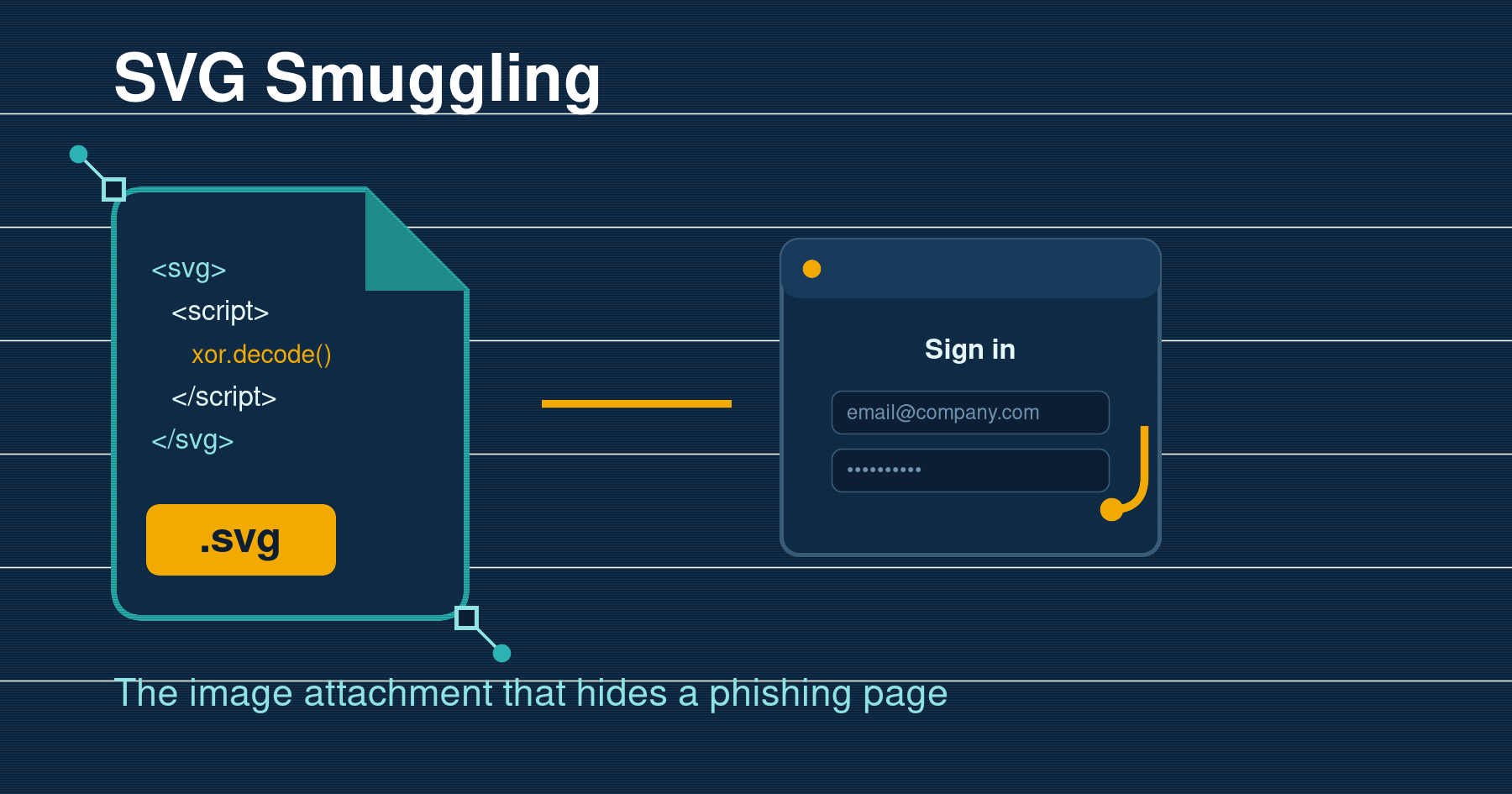
SVG Smuggling: The Image Attachment That Hides a Phishing Page
An employee opens their inbox and finds a familiar sort of message: a document has been shared with you, click to view. The attachment even carries a PDF icon. They double-click it, a browser tab opens, a brief security check appears, and a moment later they are looking at a Microsoft sign-in page, so they type their password. Nothing looked wrong. The catch is that the attachment was never a PDF, and the file that opened was not really a picture either. It was an SVG, a graphics file quietly carrying its own code, and that code sent the victim straight to a page built to harvest their login.
SVG attachments have become one of the most dependable ways to slip a phishing page past email filters. The file looks like a harmless image, yet it can run script the instant it opens in a browser. Treating an SVG as just a picture is exactly the assumption attackers are counting on.
What an SVG file actually is
Most images you receive are made of pixels. A PNG or a JPEG is a grid of coloured dots, and there is nowhere in that grid to hide instructions for the computer. SVG is different. Scalable Vector Graphics is not a photo format at all: it is text, written in XML, the same family of markup that web pages are built from. Instead of storing dots, an SVG describes shapes with maths, which is why logos and icons use it and why they stay sharp at any size.
That text-based design has a side effect. Because an SVG is really a small document, it can hold the same active ingredients a web page can, including script tags, links, and embedded HTML. When you open one, Windows hands it to your default browser, and the browser does what browsers do with markup: it renders the shapes and it runs any script it finds. A picture that can execute code is a very different thing from a picture, and that is the whole trick.
How the attack works
The delivery stage looks like ordinary phishing. The message is typically sent from a domain with weak or misconfigured SPF, DKIM and DMARC records, which lets the attacker spoof a trusted sender and land in the inbox without tripping basic checks. The body is deliberately thin, often a single line telling the recipient to preview the attached document in their browser. The SVG rides along as an attachment, or the email links out to one hosted elsewhere.
The clever part happens on open. Researchers at Ontinue documented a campaign in which the malicious JavaScript was tucked inside a CDATA section of the SVG and encrypted with a simple static XOR key. When the file loads in the browser, the script decrypts itself at runtime, rebuilds a redirect command, and constructs a destination URL complete with tracking so the operators know who clicked. No file is dropped to disk, no macro is enabled, and the victim never has to agree to anything. The redirection happens natively in the browser.
Where the victim lands is a familiar sequence. First a CAPTCHA, which does two useful jobs for the attacker: it adds a veneer of legitimacy, and it filters out automated security sandboxes that will not solve it. Then comes the fake login page. In many campaigns that page is an adversary-in-the-middle proxy, so it does not just capture a password, it relays the whole session and pockets the live session token, which means even multi-factor authentication can be walked straight through.

Why it slips past so many filters
An SVG is classified as an image by MIME type, so gateways that block executables, scripts and archives often wave it through. There is no obvious payload to sign: the dangerous logic is obfuscated, sometimes freshly for each send, and the file can look like a perfectly reasonable graphic to a casual glance. Add a low-reputation domain that is rotated frequently and the usual reputation and signature checks have very little to grab onto.
The AI twist
In September 2025, Microsoft Threat Intelligence published an analysis of an SVG campaign detected that August which appeared to have been built with help from a large language model. The malicious file was disguised as a business analytics dashboard, and the working code that handled the redirect, browser fingerprinting and session tracking was buried under long strings of corporate filler such as revenue, operations, risk, quarterly, growth and shares. The attackers also used a self-addressed trick, putting their own address in the sender and recipient fields while hiding the real targets in the BCC line. When Microsoft ran the sample through its own tooling, the verdict was that the code was too verbose, over-engineered and oddly commented to be something a human would write by hand. It is a useful reminder that automation is now lowering the effort behind these lures, not just the writing.
What actually stops it
There is no single switch, but a short stack of controls removes most of the risk, and none of them are exotic.
- Enforce email authentication properly. Publish SPF and DKIM, and move your DMARC policy to reject with strict alignment so spoofed senders are turned away rather than merely noted. This is the layer these campaigns lean on most.
- Treat inbound SVGs as active content. Most organisations have no business reason to receive SVG files by email. Block or quarantine them at the gateway, or strip script tags on delivery, and you close the door with almost no operational cost.
- Rewrite and detonate links. Link rewriting and content disarmament that inspects where a message really leads will catch the browser pivot that these attacks depend on.
- Blunt the payoff with phishing-resistant sign-in. Passkeys and FIDO2 security keys are bound to the real domain, so a harvested password, and even a relayed session, is far less useful to the attacker.
- Make reporting and clean-up fast. Give staff a one-click way to report a suspicious message, and when one is confirmed, be able to hunt down and remove every copy across Microsoft 365 or Google Workspace before more people open it.
- Rehearse the specific lure. Awareness works best when it is concrete, so run simulated phishing that uses file-share and fake-attachment themes, and teach people that an image asking them to sign in is a contradiction worth pausing on.
The bottom line
SVG smuggling is effective because it exploits a reasonable belief: that an image cannot hurt you. Attackers have turned that belief into a delivery method that dodges filters, needs no download, and drops the victim onto a credential page in one click. The defence is a mixture of the technical and the human. Shut the door on SVG attachments and enforce the email authentication that stops the spoof, back it with phishing-resistant logins so a stolen password is worth less, and make sure your people can recognise and report the lure. Handle the format like the code it can carry, and the trick stops working.
Phishing Tackle offers the tools businesses need to strengthen their human risk strategies, with multi-platform testing, real-time behavioural insights, and actionable data to keep your organisation ahead of modern cyber threats.
Contact us today to learn how Phishing Tackle can help safeguard your organisation from the growing array of cyber risks.
