
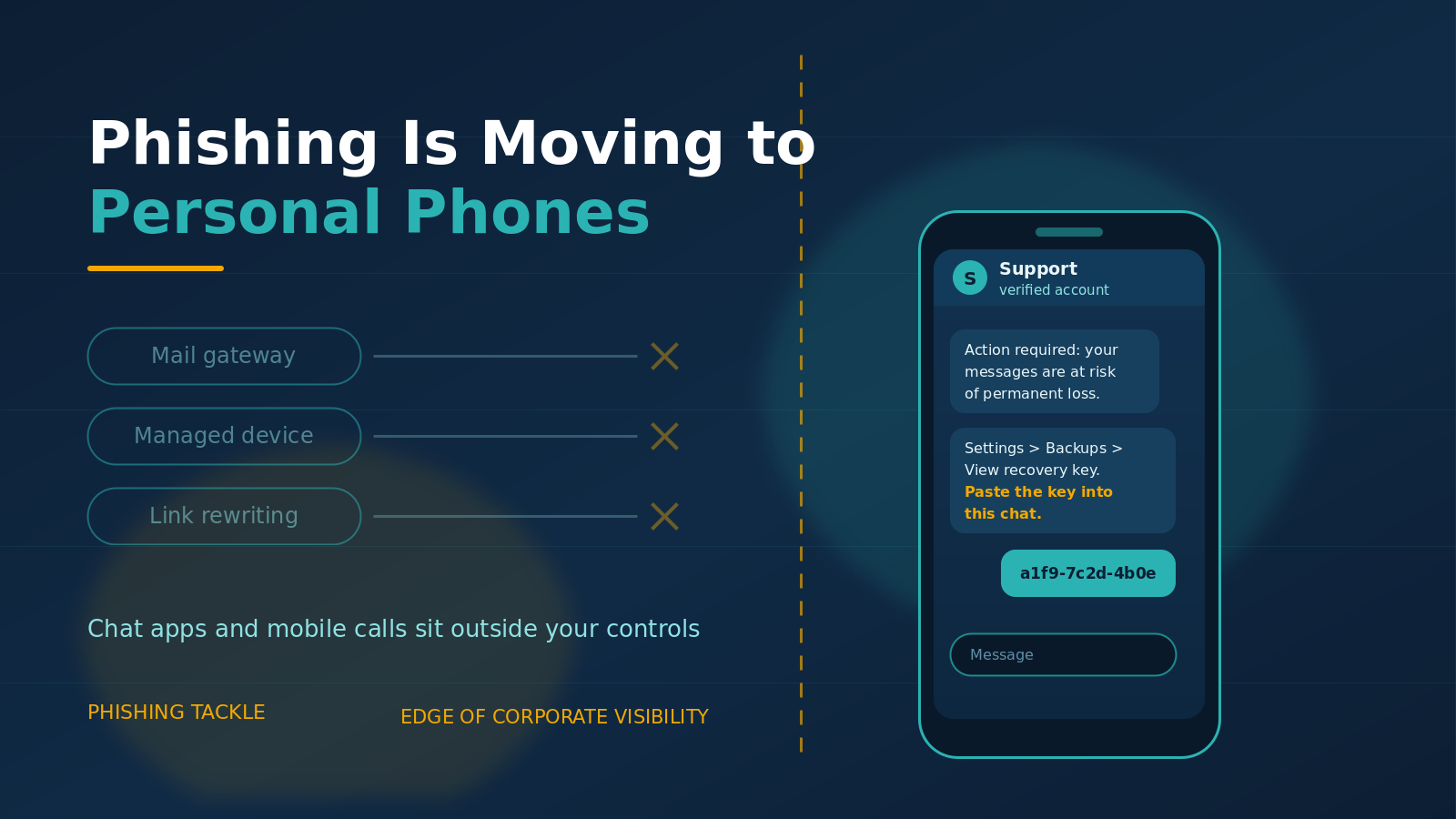
Phishing Is Moving to Personal Phones and Chat Apps
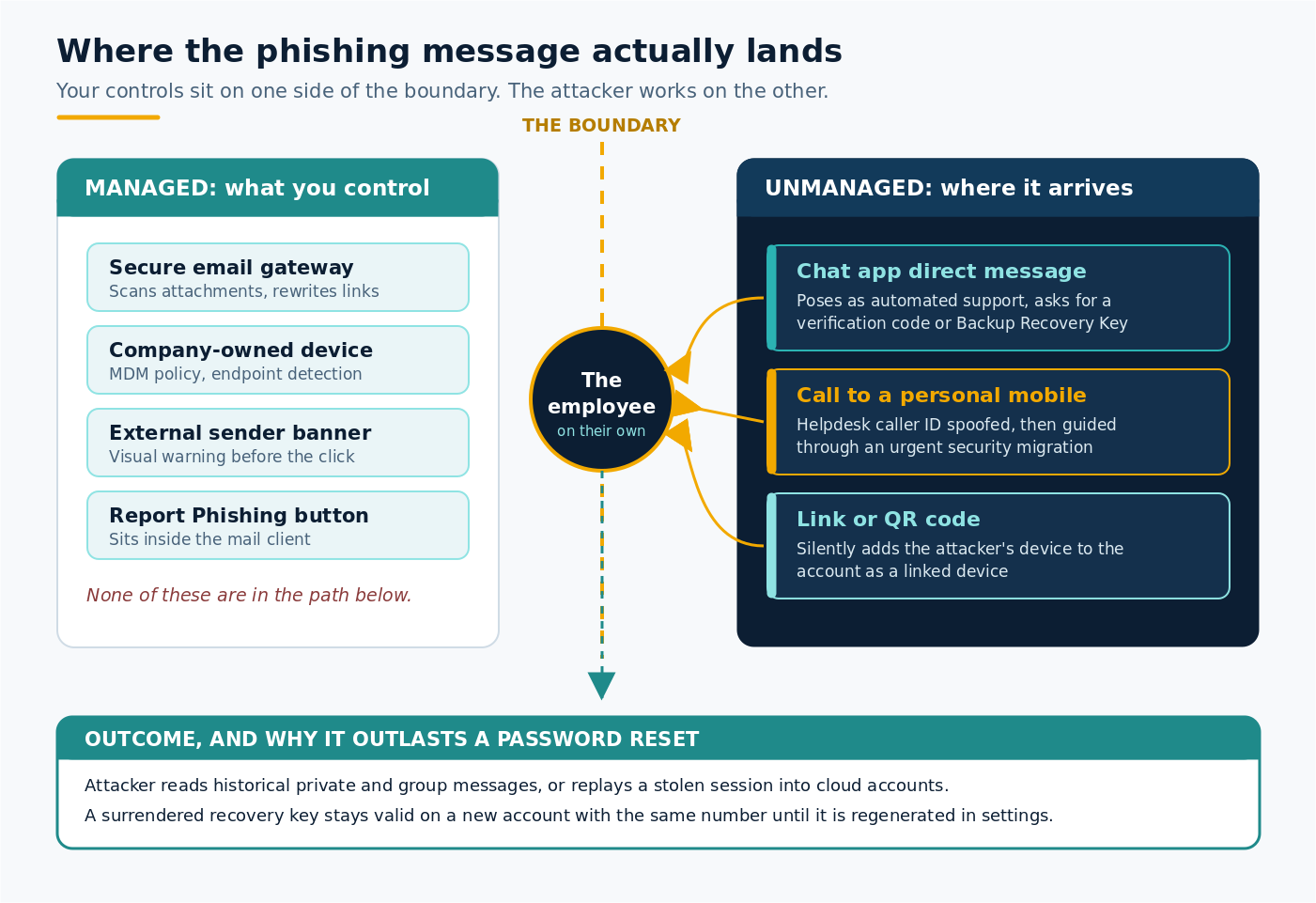
The message does not arrive in the work inbox. It lands on a personal phone, inside a chat app, from an account calling itself support. There is no attachment to scan and no fake login page to block, because the corporate mail gateway was never in the path. The request is small and sounds like housekeeping: copy a recovery key from your settings and paste it back into the chat.
The FBI and CISA have updated a joint public service announcement warning that this is how Russian intelligence actors are taking over messaging accounts, and research published this month shows criminal extortion crews using the same idea by phone. The common thread is a channel your organisation does not manage, does not filter and cannot see.
What the FBI and CISA actually reported
On 26 June 2026 the two agencies issued an update to their March advisory on Russian Intelligence Services targeting commercial messaging applications. The activity is aimed at people of high intelligence value: current and former US and international government officials, military personnel, political figures, journalists, and officials in Ukraine. According to the March announcement, the campaign has resulted in unauthorised access to thousands of individual accounts worldwide.
One point deserves emphasis, because it is routinely misread. The actors have not broken the encryption and have not compromised the applications themselves. They have compromised individual accounts by persuading the account holder to help. As the FBI puts it, phishing lets an attacker bypass encryption entirely by gaining access to the account behind it.
The March 2026 advisory set out two routes. In the first, the victim clicks a malicious link or scans a QR code that quietly adds an attacker-controlled device to their account as a linked device. Both parties then have access, and the victim sees nothing unusual. In the second, the actor talks the victim into handing over a PIN and a two-factor code, and takes the account outright.
Why a recovery key is worth more than a password
The June update describes a change in tactics. Alongside verification codes and PINs, the actors now try to obtain the victim's Backup Recovery Key. The advisory reproduces two sample messages. One imitates a Signal service announcement about mandatory two-factor verification and walks the reader step by step through enabling backups and viewing their recovery key. The other claims that account data is at risk of permanent loss due to a sync issue, then asks the reader to paste the key straight into the chat.
If that key is handed over after a backup has been created, the actor can read the account's historical messages, private and group alike, and can take over the account. The detail that makes this worse than a stolen password is persistence. The FBI notes that the same key stays valid even if the victim creates a new account on the same phone number afterwards, so the actor may be able to take over the replacement later. Generating a fresh key in settings invalidates the old one for future backup downloads, but it does not undo a backup the actor already has.
That is an awkward failure mode. Most people understand that a compromised password can be changed. Very few expect a single string copied out of a settings menu to follow them onto a brand new account.
The same shift is happening on the phone
Messaging apps are one edge. Personal mobile numbers are another. In research published on 6 August 2026, Google Threat Intelligence Group described an extortion cluster it tracks as UNC6671 calling employees on their personal mobile numbers, which GTIG notes circumvents corporate security controls. In some recent cases the callers spoofed the organisation's real helpdesk number to add credibility, then walked the employee through an urgent security migration on a lookalike enrolment page that captured their credentials and multi-factor codes in real time.
None of this touches a mail filter, a managed browser or a company-owned device. That is the point of it.
The scale of the move away from email is visible in incident data. Mandiant's M-Trends 2026 report, drawn from over 500,000 hours of investigations in 2025, found that email phishing fell to 6% of intrusions, while highly interactive voice phishing surged to 11% and became the second most common initial infection vector after exploits. Attackers have not stopped phishing. They have changed the delivery route to one where the technical controls are thinnest and the human being is on their own.
Why it works
Personal channels carry a different kind of trust. A chat app is where family and friends live, so a message there feels vetted in a way an email never does. A call displaying the helpdesk's caller ID confirms itself. There is no banner warning that the sender is external, no colleague at the next desk to glance at the screen, and often no obvious way to report it, since the corporate report button sits inside a mail client the person is not using.
The requested action also looks like maintenance rather than a login. Enabling a backup, viewing a recovery key, completing an enrolment: these read as tidy-up tasks. And the pretext is usually loss rather than gain. You are not being offered a prize, you are being warned that your messages are about to disappear. Fear of losing data makes careful people move quickly, which is what the attacker needs.
What to do about it
- Name the channel in your guidance. Most awareness material still assumes email. Say plainly that phishing now arrives by chat app, personal SMS and phone call, and that work conversations moving to personal apps carry that risk with them.
- Teach one rule about codes and keys. No legitimate support service, internal or external, asks for a verification code, a PIN or a recovery key. The FBI is unambiguous: support does not request codes inside the app and does not send links to verify or restore accounts.
- Give people a way to report from their phone. If a suspicious call or chat message can only be reported by writing an email later, most will not bother. Make the route obvious and make reporting welcome, not awkward.
- Verify out of band, and publish how. Staff should have a known-good number or channel for confirming that a helpdesk call is real, and should feel free to hang up and call back. Caller ID is not proof of identity.
- Audit linked devices and sessions. Staff who use messaging apps for anything work-related should check their linked devices periodically and remove anything unfamiliar. Apply the same discipline to active sessions in your identity provider.
- Reduce what a stolen session is worth. Phishing-resistant authentication, shorter sessions, device compliance checks and step-up prompts for sensitive actions all limit the damage when someone is caught out.
- Practise the awkward scenario. Simulations that only cover the inbox will not prepare anyone for a convincing phone call about an urgent security migration. Rehearse the pressure as well as the link.
For related reading, see our guidance on voice phishing aimed at the help desk and on SMS phishing targeting staff on the move.
The bottom line
Attackers are not trying to beat your mail gateway any more. They are walking around it, onto devices and apps your organisation never issued and cannot inspect, and asking for a small favour that happens to hand over an account. Technical controls still matter, and phishing-resistant authentication remains one of the strongest investments available. But on a personal phone at nine in the evening, the only control in the path is the person holding it. Equipping them for that moment is a defence decision rather than a training formality.
Phishing Tackle offers the tools businesses need to strengthen their human risk strategies, with multi-platform testing, real-time behavioural insights, and actionable data to keep your organisation ahead of modern cyber threats.
Contact us today to learn how Phishing Tackle can help safeguard your organisation from the growing array of cyber risks.
