
The Phishing Service That Never Needed Your Password
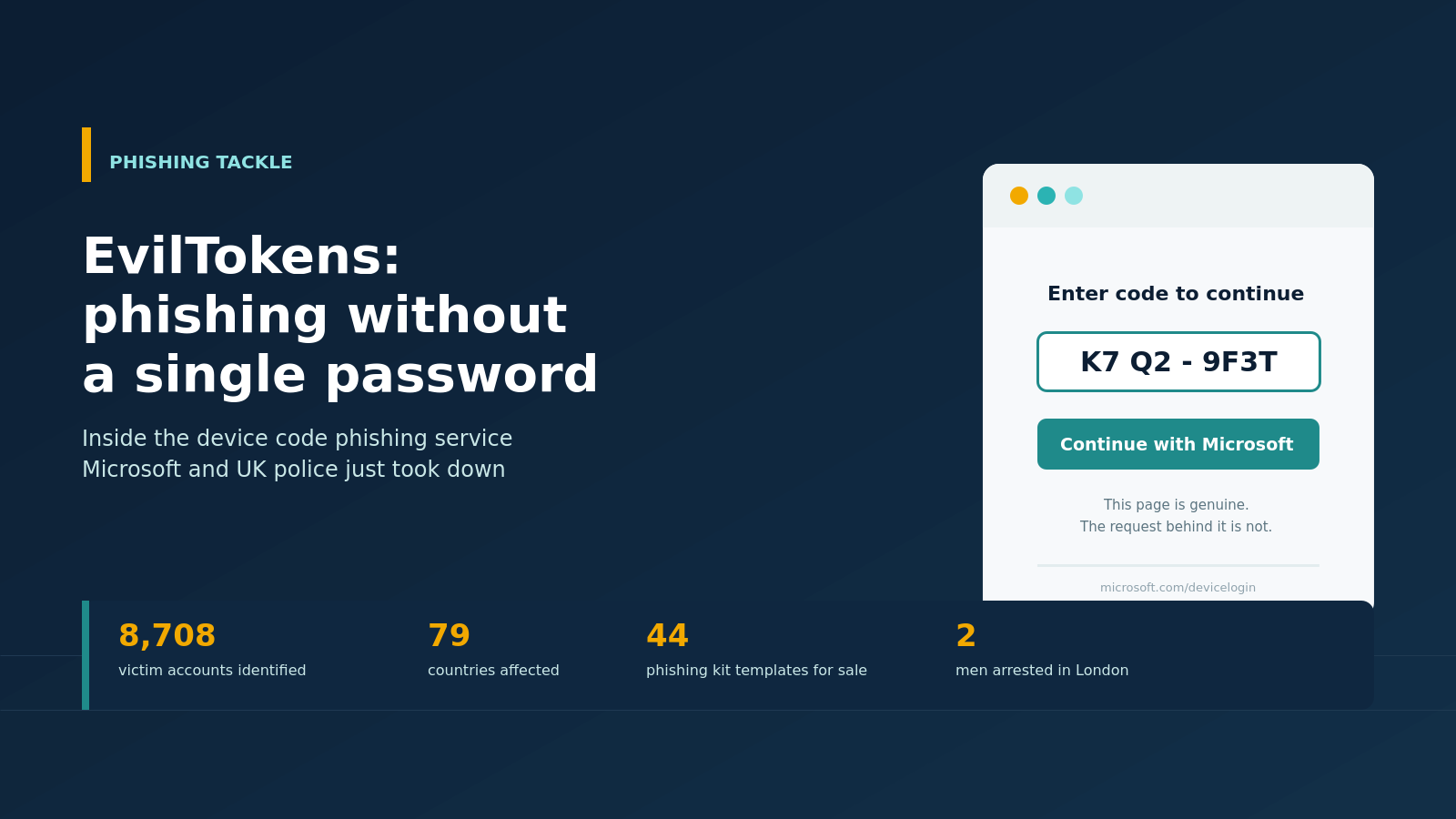
For seven months, a criminal subscription service called EvilTokens let anyone with a few hundred dollars and a Telegram account break into Microsoft 365 accounts without stealing a single password. On 22 September 2026, Microsoft's Digital Crimes Unit disrupted the platform in a coordinated action with the UK's Metropolitan Police, Health-ISAC and the threat intelligence firm SpyCloud, and two men were arrested in London on suspicion of running it. The case is worth a close look, because the trick behind it does not rely on tricking anyone into typing a password. It relies on tricking them into confirming a code on a page that is entirely genuine.
What EvilTokens actually sold
EvilTokens first appeared in February 2026 and quickly became one of the more popular phishing-as-a-service platforms on offer, according to Microsoft's own account of the takedown. For an initial fee of $1,500 and a $500 monthly subscription, subscribers got 44 ready-made phishing templates disguised as invoices, document-signing requests, RFPs and shared files, plus add-on tools such as a bot-detection bypass and a bulk email sender. Microsoft tracks the group behind the platform as Storm-2992.
What set EvilTokens apart from older phishing kits was the automation built into the back end. Once a subscriber had access to a mailbox, the platform could pull up to 5,000 recent emails through the Microsoft Graph API, work out which accounts belonged to finance staff or global administrators, and draft convincing follow-up messages, in more than 20 languages, requesting a wire transfer or a sensitive document. A single successful phish became a springboard for business email compromise fraud, with very little manual effort needed from the criminal at the other end.
How do you phish someone without asking for a password?
The mechanism at the centre of EvilTokens is called device code phishing, and it abuses a legitimate Microsoft sign-in flow rather than a fake one.
The device code flow, part of the OAuth 2.0 standard, was built for devices that cannot easily accept a password, such as a smart TV, a printer or a Microsoft Teams meeting room console. Instead of typing credentials on the device itself, the user visits a genuine Microsoft address on any browser, enters a short code shown on the device, and confirms the sign-in there.
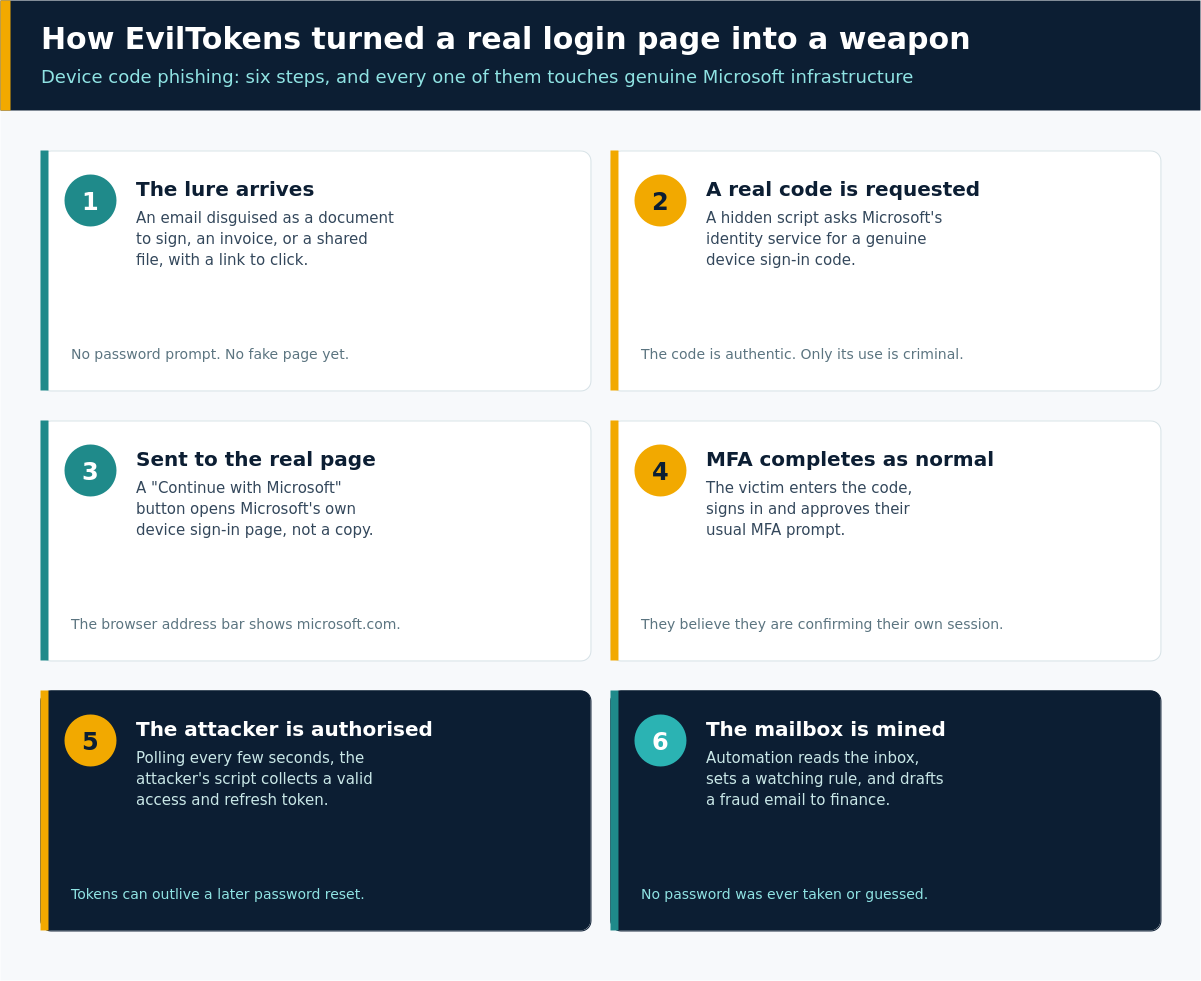
EvilTokens automated the criminal side of that flow. A phishing email or malicious link triggers a background script that requests a real device code from Microsoft's identity service in real time. The victim is shown that code with a "Continue with Microsoft" button, which sends them to the genuine device login page, not a lookalike. If they enter the code and complete their normal sign-in, including MFA, they are not authenticating their own session. They are authorising the attacker's. The attacker's script polls Microsoft's servers every few seconds and picks up a valid access and refresh token the moment the victim confirms.
Because every step of that exchange happens on genuine Microsoft infrastructure, it slips past defences built to spot fake login pages and password harvesting. Microsoft has also noted that refresh tokens obtained this way can remain usable for up to 90 days of inactivity with no fixed maximum age, which gives an attacker a long runway even after a victim later changes their password.
What that looks like in practice
Picture an accounts payable clerk who receives an email that looks like a routine document-signing request. They click through, and a page appears with a short alphanumeric code and a button to continue with a Microsoft sign in. They click it, land on the real Microsoft device login page, type the code, confirm their identity and approve the MFA prompt on their phone as usual. Nothing about the experience looks unusual, because nothing about it is fake except the intention behind the original email.
Within minutes, the attacker holds a working session token for that mailbox. EvilTokens' automation then reads the inbox for pending invoices and executive correspondence, quietly sets up a rule to keep watching it, and in some cases registers a new device against the account to generate a longer-lived token for extended access. From there, a convincing follow-up email, drafted with help from the platform's own tools, goes out to a colleague in finance asking them to approve an urgent payment.
Nobody's password was ever exposed in this chain. The mailbox, and whatever it held, was simply handed over through a token the victim approved themselves, without realising what they were approving.
The scale of it
According to SpyCloud, which supported the law enforcement action with recaptured criminal data, EvilTokens was linked to 8,708 unique victim accounts across 6,585 corporate domains in 79 countries. Ninety seven and a half per cent of those accounts belonged to enterprise domains rather than personal webmail. Wholesale distribution, construction, financial services, real estate, higher education and healthcare were the sectors hit hardest, and compromises were seven times more likely on a weekday than a weekend, clustering during normal US business hours. Just ten of the platform's customers accounted for 60% of all victims, which says a lot about how much damage a small number of committed operators can do with the right tooling.
Microsoft's Digital Crimes Unit reported the operation to the Metropolitan Police in August 2026. Officers executed warrants in London last week, arresting two men, aged 32 and 38, on suspicion of making articles for use in fraud and money laundering offences. Both were released on bail while the investigation continues. "Phishing services bring misery to thousands, taking money from everyday people across the world," said Detective Inspector Serena D'Adamo of the Met's cybercrime team.
What actually stops this
Blocking device code phishing does not mean abandoning multi-factor authentication. It means being deliberate about how sign-in flows are exposed and how staff are told to react to them.
- Block the device code authorisation flow in your identity provider by default, and scope any exceptions to the specific devices that genuinely need it, such as shared meeting room consoles.
- Move towards phishing-resistant authentication where you can, such as FIDO2 security keys or passkeys, rather than relying on push notifications alone.
- Use conditional access controls to block legacy authentication protocols and to force re-authentication for sign-ins flagged as risky.
- Set up alerting for unusual inbox rule creation and new device registrations on user accounts, both of which are common signs of exactly this kind of compromise.
- Tell staff plainly that no genuine business process asks them to copy a code from one screen and paste it into a Microsoft sign-in page to "verify" something. If that sequence appears out of nowhere, it is worth pausing before continuing.
The bottom line
EvilTokens did not need to break Microsoft's security to succeed. It needed people to complete a sign-in they had not intended to start, on a page that was completely genuine, and it built an entire criminal business model around making that moment feel routine. The takedown and the arrests that followed are a good outcome, but the technique itself has not disappeared, and other services such as APToken have already been described as clones of it. The most useful defence is still the oldest one: treat any unexpected request to confirm a code or approve a sign-in with the same suspicion you would give an unexpected request for a password, because increasingly, that is exactly what it is.
Phishing Tackle offers the tools businesses need to strengthen their human risk strategies, with multi-platform testing, real-time behavioural insights, and actionable data to keep your organisation ahead of modern cyber threats.
Contact us today to learn how Phishing Tackle can help safeguard your organisation from the growing array of cyber risks.
