
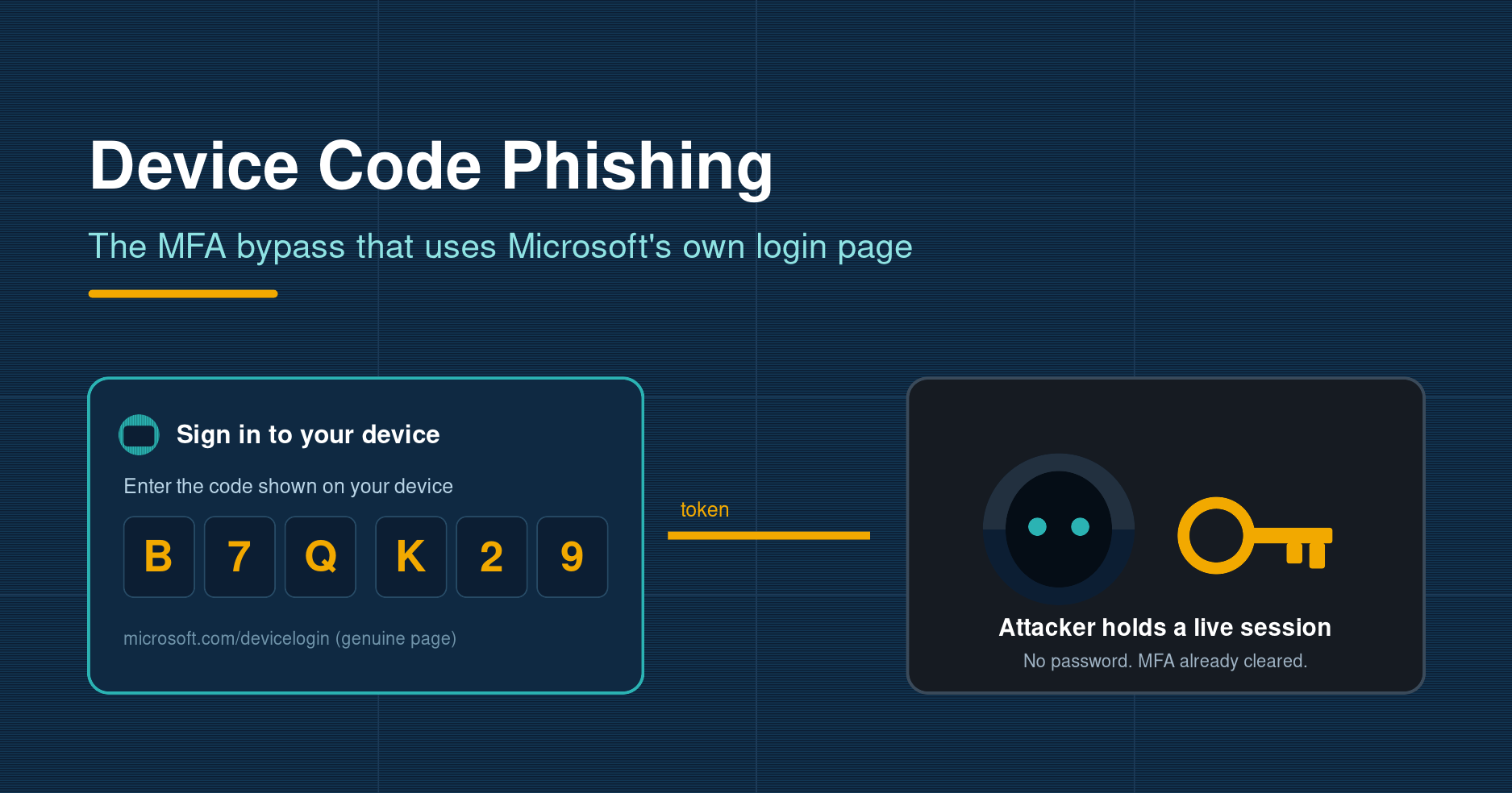
Device Code Phishing: The MFA Bypass That Uses Microsoft's Own Login Page
Most phishing advice tells staff the same things: check the web address, look for the padlock, and never type your password into a page you do not trust. Device code phishing quietly defeats all of it. There is no fake login page to spot, no misspelled domain, and often no password entered at all. The victim completes a genuine sign-in on Microsoft's own website, and by the end of it an attacker is holding a valid session token for their account.
Device code phishing takes a convenience feature built for smart TVs and printers and turns it into an account takeover tool. The victim does everything on real Microsoft infrastructure, which is precisely why it is so hard to catch.
The technique has moved from a nation-state curiosity to a mainstream criminal tactic in a matter of months. Between the last week of June 2026 and early July, email security firm ZeroBEC tracked a Microsoft 365 campaign using a reusable toolkit called DEBULL, and it is far from the only one. If your organisation runs Microsoft 365, this is a gap worth closing now.
What device code phishing actually is
The attack abuses a legitimate part of OAuth 2.0 called the Device Authorization Grant, defined in RFC 8628. It exists for a sensible reason. Some devices, a smart TV, a printer, a command-line tool, cannot show a full browser or accept a typed password comfortably. So the device displays a short code and asks you to visit a sign-in page on your phone or laptop, enter that code, and approve the request. Once you do, the device is authenticated.
Attackers slot themselves into the middle of this handshake. Instead of a television starting the flow, the attacker's own tooling starts it and receives a short user code. They then send that code to a target inside a convincing message. When the victim goes to Microsoft's real device login page at microsoft.com/devicelogin, enters the code, signs in and approves, they are not authorising a printer. They are authorising the attacker's session. The tokens Microsoft issues at the end are delivered straight to the attacker's infrastructure.
Why it walks straight past multi-factor authentication
This is the part that catches security teams off guard. The victim genuinely authenticates. They enter their own password, they satisfy their own multi-factor prompt, and they click approve. The attacker never sees the password and never has to defeat the second factor, because the legitimate user clears it for them. As Huntress put it, the attack does not hack its way in; it uses a real authentication flow to walk through the front door, with MFA bypassed and session tokens handed straight to the attacker.
That breaks two of our most trusted defences. Telling people to inspect the URL is useless when the domain really is login.microsoftonline.com. Even phishing-resistant methods struggle here, because the problem is not a spoofed page, it is a real sign-in pointed at the wrong client. Worse, the tokens issued can include long-lived refresh tokens and, in some campaigns, a Primary Refresh Token, giving attackers persistent access that survives a password reset. Proofpoint noted in May 2026 that many current kits generate the code dynamically the moment a victim clicks the link, so the lure email stays valid indefinitely rather than expiring in minutes.
How a real campaign unfolds
The DEBULL activity ZeroBEC documented is a useful model because it shows how ordinary the victim's experience feels. The lures leaned on collaboration themes, a shared folder to review or a payment to check, the sort of message nobody thinks twice about. The chain looked like this:
- The victim receives a message about a shared document or an invoice and clicks the link.
- The link leads to a legitimate but compromised website, in this case a Croatian rental site, quietly repurposed to orchestrate the device code request.
- The victim is guided into Microsoft's genuine device login experience and enters the supplied code.
- They sign in with their real credentials and approve the prompt, clearing MFA themselves.
- A backend broker polls Microsoft for the resulting tokens and hands the attacker a live session.
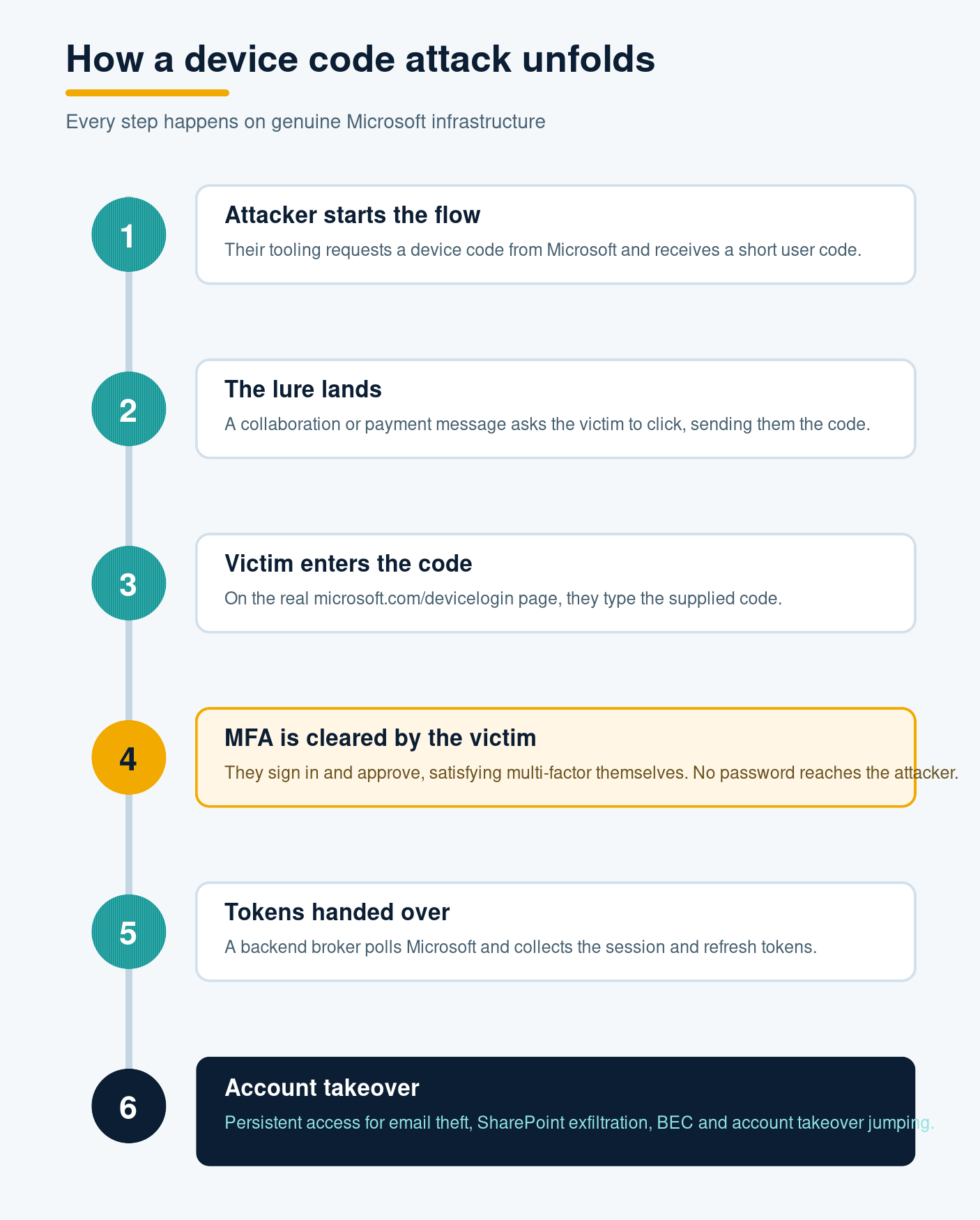
From there the attacker can read email, reach OneDrive and SharePoint, and quietly study the account. A common next move is account takeover jumping, where the compromised mailbox is used to send fresh lures to that person's colleagues and contacts. Because the messages come from a real, trusted internal account, the campaign spreads faster than any external sender ever could.
Who is doing it, and at what scale
The tradecraft was popularised by a Russian-linked group Microsoft tracks as Storm-2372, which used Teams-style meeting invites to deliver device codes as far back as February 2025. What has changed is packaging. In March 2026, Huntress detected a single device code campaign hitting roughly 340 organisations across the United States, Canada, Australia, New Zealand and Germany. Cisco Talos has since detailed a phishing-as-a-service panel called ARToken, linked to the EvilTokens platform, that exposes more than 80 ready-made functions for device code phishing, token persistence, mailbox access and SharePoint theft, with AI features that sift stolen inboxes for finance threads and draft business email compromise messages automatically. Even Tycoon 2FA, a well-known kit disrupted by a Europol-led operation, has rebuilt around device code phishing, according to eSentire in May 2026.
One point worth noting: this is largely a Microsoft problem. Google Workspace is a lower-risk target because Google tightly limits which permissions the device code flow can request. Microsoft's implementation offers a far broader set of scopes, which is why nearly every campaign in the wild targets Entra and Microsoft 365.
How to defend against it
The good news is that a feature almost no ordinary employee needs can simply be switched off for them. A layered response works best:
- Block the device code flow with Conditional Access. Entra lets you create a policy that denies the device code grant for all users except the small number who genuinely use shared devices or kiosks. This is the single most effective control, and for most organisations it costs nothing but a few minutes in the admin centre.
- Watch your sign-in logs. Entra records when the device code authentication protocol is used. Alert on it. Legitimate use is rare and predictable, so unexpected device code sign-ins are a strong signal that something is wrong.
- Shorten the attacker's runway. Enable Continuous Access Evaluation and token protection, keep token lifetimes tight, and make sure your team can revoke sessions quickly. If tokens are stolen, the goal is to make them useless fast.
- Teach the one rule that matters. Never enter a device code that you did not personally start on a device sitting in front of you. Microsoft will never email or message you a code to type in. Reinforce this with simulated phishing so staff meet the lure in a safe setting, and give them a fast way to report a suspicious message the moment it arrives.
- Be ready to clean up. When a lure does land, the ability to hunt down and remove copies across Microsoft 365 limits how far account takeover jumping can spread. A steady managed awareness programme keeps these habits sharp rather than letting them fade after a single briefing.
The bottom line
Device code phishing is a reminder that attackers no longer need to fool your technology when they can borrow your trust instead. There is no dodgy domain, no cloned page, and no stolen password to catch, just a real Microsoft prompt used for the wrong purpose. That makes user awareness and identity configuration, not email filtering alone, the front line. Turn off the device code flow where it is not needed, watch for it where it is, and make sure every member of staff knows that a code arriving by email is a code they should never type. Those three steps close the door on one of the most quietly effective account takeover techniques in circulation today.
Phishing Tackle offers the tools businesses need to strengthen their human risk strategies, with multi-platform testing, real-time behavioural insights, and actionable data to keep your organisation ahead of modern cyber threats.
Contact us today to learn how Phishing Tackle can help safeguard your organisation from the growing array of cyber risks.
